
Plumber 1.1 Release - What's New
We’re thrilled to announce the launch of Plumber 1.1:
⚡ Quick install, portfolio compliance at a glance, and a smoother experience
This release introduces a guided installation process, detailed portfolio compliance views, and several refinements across the platform.
📊 Portfolio Compliance
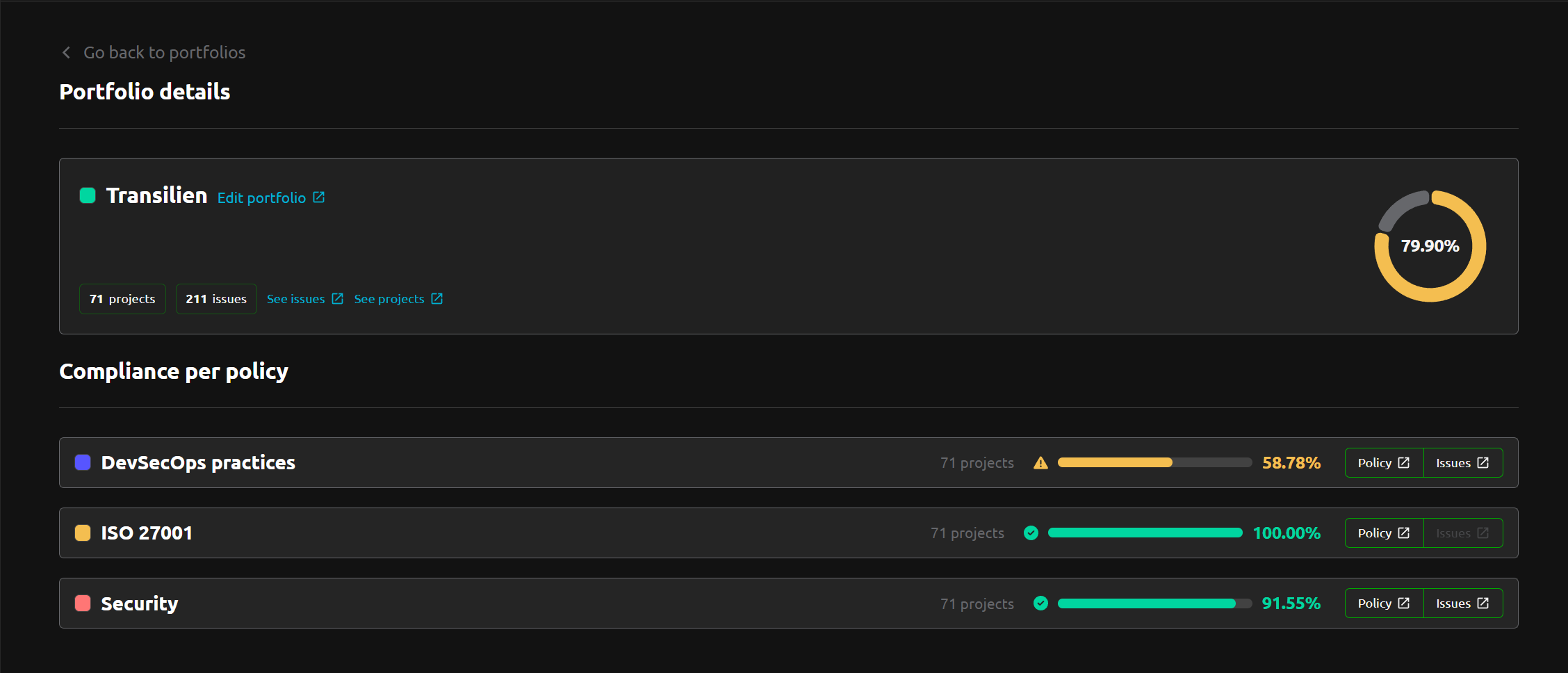
For each of your portfolios (that contain projects or groups), you now get detailed compliance information, including each policy associated with them.
What you can do:
- Overall compliance: See the compliance percentage for the entire portfolio at a glance
- Compliance per policy: Drill down into each policy (e.g. DevSecOps practices, ISO 27001, Security) with individual compliance scores and project counts
- Quick access to issues: Visualize all issues for the portfolio, or filter by portfolio and policy for targeted insights
- Direct links: Jump to policy definitions or issue lists with a single click
⚡ Quick Install
Previously, installing Plumber meant cloning the repository and editing configuration files manually: domain name, GitLab OIDC credentials, TLS settings, database connection, secrets. One by one.
1.1 replaces all of that with a single command:
curl -fsSL https://raw.githubusercontent.com/getplumber/platform/main/install.sh | bashThe interactive installer guides you through every decision:
- Domain name configuration
- GitLab OIDC application setup
- TLS certificate method (Let’s Encrypt or custom certificates)
- Database choice (internal PostgreSQL or your own external database)
- Secrets auto-generated for you
Plumber starts automatically when the setup is complete.
⏫ Updating
Upgrades follow the same philosophy. One script handles everything:
./scripts/update.shIt stops the running containers, pulls the latest changes, loads the new image versions, migrates your .env if needed, and restarts.
INFO
The manual install path is still fully supported for teams that prefer it or need advanced customization. Both options are covered in the v1 installation documentation.
⚙️ Minor Updates
- Fix: Outdated documentation links fixed
- Fix: Default sort of User Activity updated (now sorted by last activity by default)
- UX improvements: Logs are now displayed in a modal
- UX improvements: Various UX enhancements across the platform
INFO
Versions
- Backend:
v2.37.0 - Frontend:
v2.33.0 - Helm chart:
v1.1.0